Affichage des articles dont le libellé est home cinema. Afficher tous les articles

Philips launches new range of compact budget projectors for 2020

Philips has unveiled a new series of compact budget projectors for the US and Europe, with more premium features than ever making its way to the NeoPix projector range.

The NeoPix Easy 2+, Prime 2 and Ultra 2 are successors to the Easy, Prime and Ultra LCD models released last year – and with the cheapest Easy 2+ model retailing at just $149 / €149, there's a very low price barrier to getting one of these low-cost beamers into your home.

The new models add in a number of premium features previously only seen in Philips' premium PicoPix range too.

The Easy 2+ and Prime 2 models both offer HD resolution (720p, 80-inch max projection), while the higher-spec Ultra 2 packs in support for Full HD (1080p, 65-inch max projection). The Prime and Ultra models both pack in a new smart TV operating system with pre-loaded apps, as well as Bluetooth connectivity and "Wi-Fi Dual Band for maximum speed". Both projectors support four-corner correction and digital zoom for optimized placement on a screen or wall too.

The Easy 2+ misses out on the new smart OS – meaning you'll need to plug in a content source via USB, micro SD or HDMI – but does ramp up the brightness to twice the number of lumens as the original Easy model. There's even a 3.5mm headphone jack to plug in external speakers too. It can project an image of up to 65 inches.

The Prime 2 retails at $199 / €199, whereas the Ultra 2 retails at a slightly pricier $329 / €329. All three new models are available from November 2020.

Get what you pay for

These NeoPiX projectors don't have the truly premium features of the best projectors out there; there's no 4K capability for one, and certainly nothing like HDR. However, if you're after a quick and easy AV solution for your home, or a gift that won't cost the earth, then the NeoPix range might be just what you're after.

For some high-end models, check out deals on other projectors below:


from TechRadar - All the latest technology news https://ift.tt/32xAd9t
via IFTTT

This new BenQ projector is perfect for the Xbox Series S

There's a new gaming projector on the horizon, and it might just be the perfect purchase to go along with the upcoming Xbox Series S – or any current-gen HD console you still have kicking around.

The BenQ X1300i is one of a few new models announced for this year, with the 'i' designating an overhauled smart TV interface supplied by Android TV (the same OS used in Sony TVs).

But the main draw of the X1300i is in its gaming features, including low input lag of just 8ms for 120Hz playback. You'll also get three dedicated gaming presets, for shooters (FPS), sports (SPG) and role-playing games (RPG) – while a 3,000 lumens brightness will mean you're not straining to see the projection in mild ambient light. You get a max 100-inch projection too.

Of course, there are other 120Hz projectors and TVs out there – and the BenQ X1300i is only an HD, rather than a 4K model – but the peculiar specs of the Xbox Series S make them a suitable match.

Meeting in the middle

The Xbox Series S is technically an HD console, with 4K upscaling to output on 4K TVs – but you're not getting the native 4K experience of the more powerful Xbox Series X or PS5.

While 4K/120Hz is supported on higher-spec next-gen consoles – through a much-touted HDMI 2.1 port – it's still a rare occurrence and only a handful of Xbox Series X games will support it at or shortly after launch.

If you're not fussed about 4K so much as smooth gameplay, getting a 120Hz HD projector and the £249 Xbox Series S should save you a hefty amount compared to a 4K beamer and £449 Xbox Series X.

The X1300i is available from December, and will retail for £1,249 – around what you'd pay for the 4K BenQ TK850, though with the huge added benefit of streaming apps through Android TV, and the noted gamer-centric features. You'll get support for Google Assistant voice commands too.

Check out deals on other projectors below:


from TechRadar - All the latest technology news https://ift.tt/3eyPP1u
via IFTTT

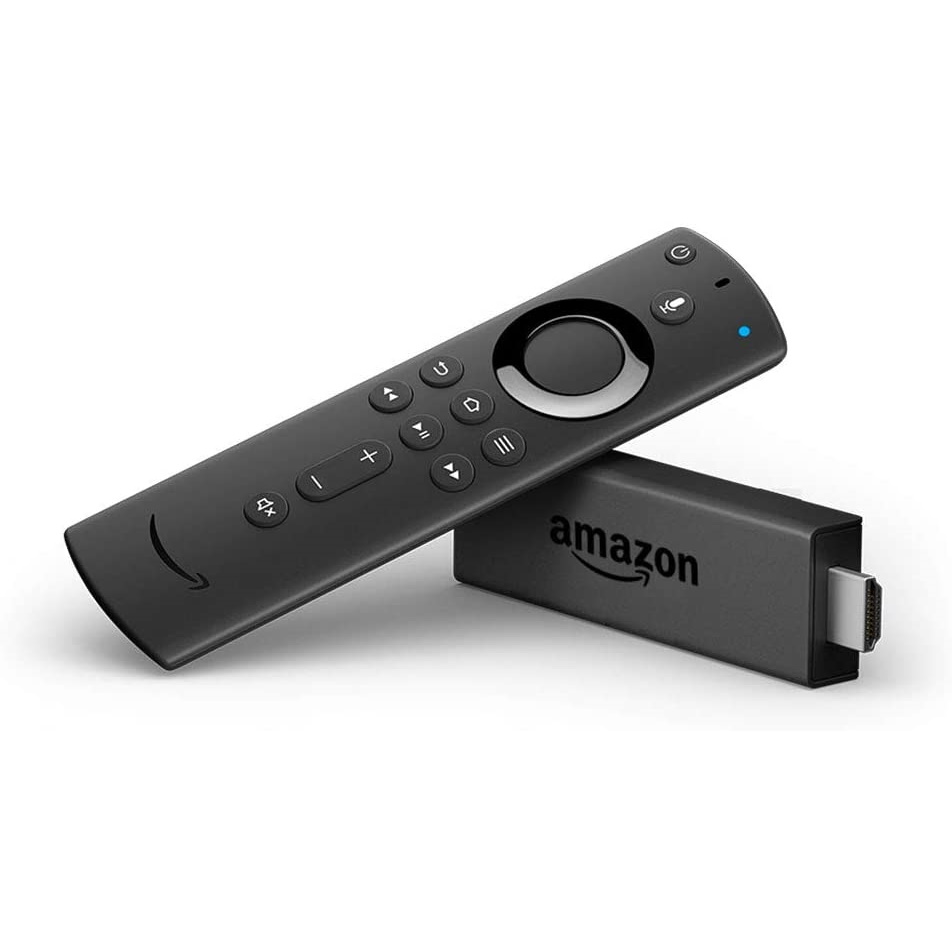
2020 Amazon Fire TV Sticks get early Black Friday deals at Argos

We're a few weeks out from the main event yet, but Argos Black Friday deals are already slashing the prices of Fire Sticks down to some of their most affordable prices we've yet seen. They're a great way of adding some streaming smarts to dumb TVs, unlocking loads of catch-up options with these Black Friday deals.

Kicking off with the brand new 2020 Fire Stick Lite, it's had its price slashed to just £19.99, down from £29.99. Amazon's entry-level streamer offers all the usual streaming apps, including Amazon voice control, and just scrimps on 4K resolutions, making it great for a second-room TV.

However, is you're after the 4K model, there's a £20 price cut we're seeing right now bringing the Fire TV Stick 4K UHD model to its lowest-ever price at £29.99. It's also £29.99 down from £49.99 at Amazon, too

Similar price cuts can be found for the 2020 standard Amazon Fire TV Stick, with its more advanced remote (was £39.99, now £24.99) and the top-tier Amazon Fire TV Cube has a whopping saving, bringing its price down to £69.99 with a big £40 saving.

We're rounding up all these Fire Stick deals just below, along with some US options.

Argos Black Friday Fire Stick deals in the UK

Fire TV Stick Lite: £29.99 £19.99 at Argos
The Amazon Fire TV Stick Lite gets an early price cut right now - with £10 off the cheapest model available. There are no TV controls on this budget version, but you'll also find discounts on the main Fire Stick and 4K model this week as well. 

Also available at Amazon
View Deal

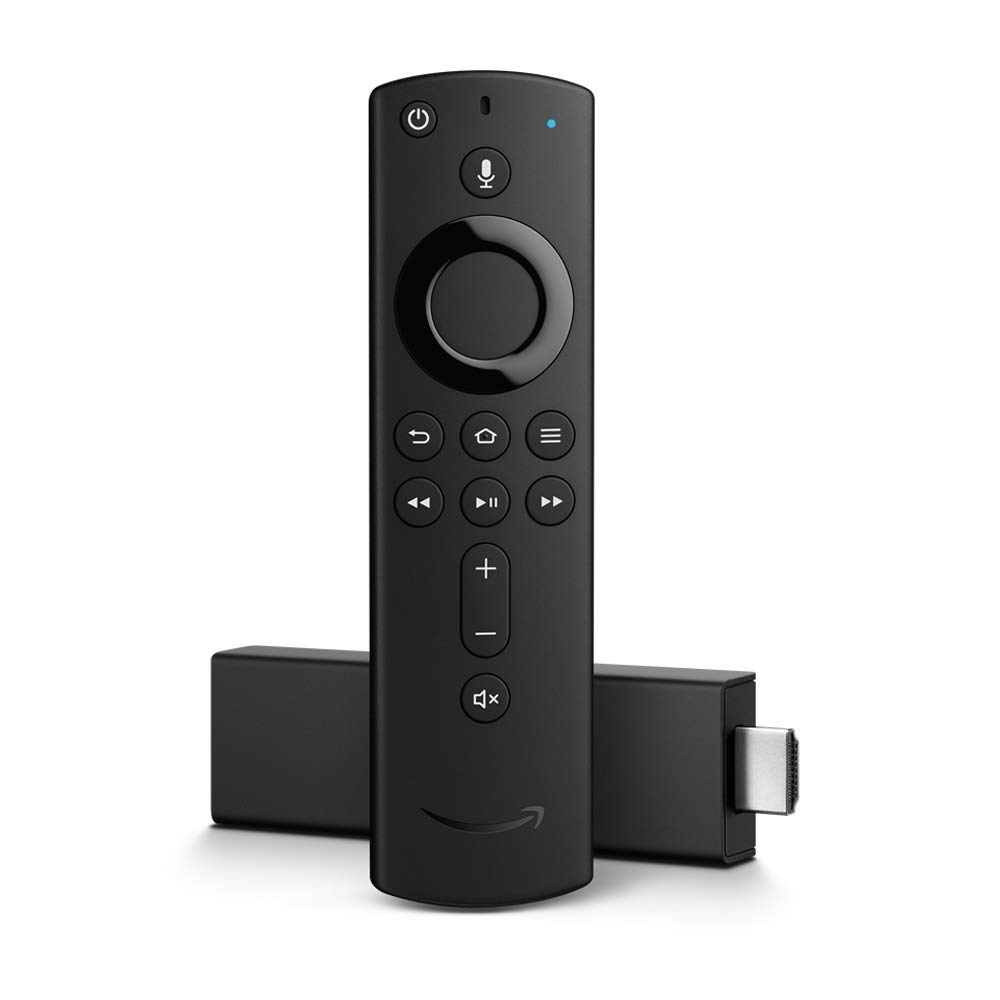
Amazon Fire TV Stick 4K: £49.99 £29.99 at Argos
If you're rocking a UHD display, you'll want to invest a little more in the 4K Fire Stick. With a £20 saving this model is back down to its lowest price yet this week - excellent news if your fancy new TV doesn't offer all the latest apps.

Also available at at AmazonView Deal

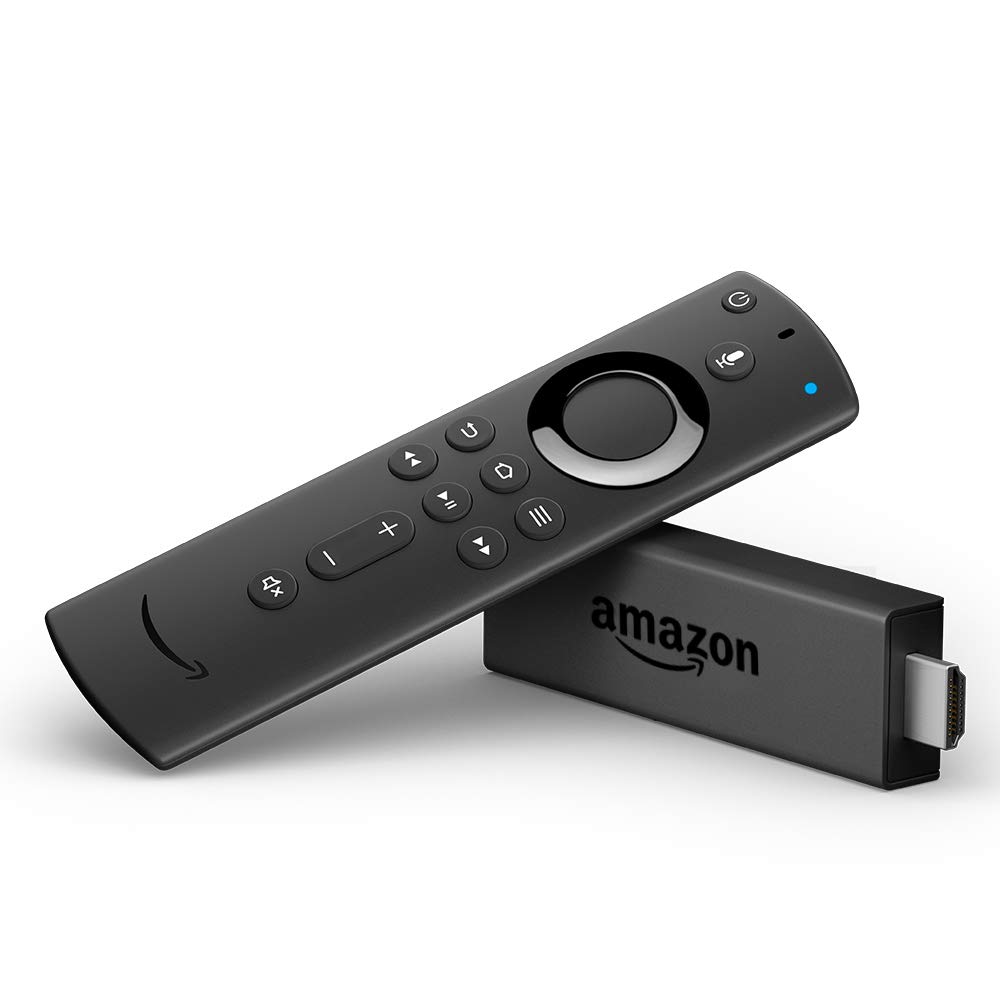
Amazon Fire TV Stick 2020: £39.99 £24.99 at Argos
The updated version of the standard Amazon Fire TV stick gets its first price cut, and it's a considerable one at £15 off. While it doesn't have 4K capabilities, it is equipped with the means to control your TV's audio, which the Lite model isn't.View Deal

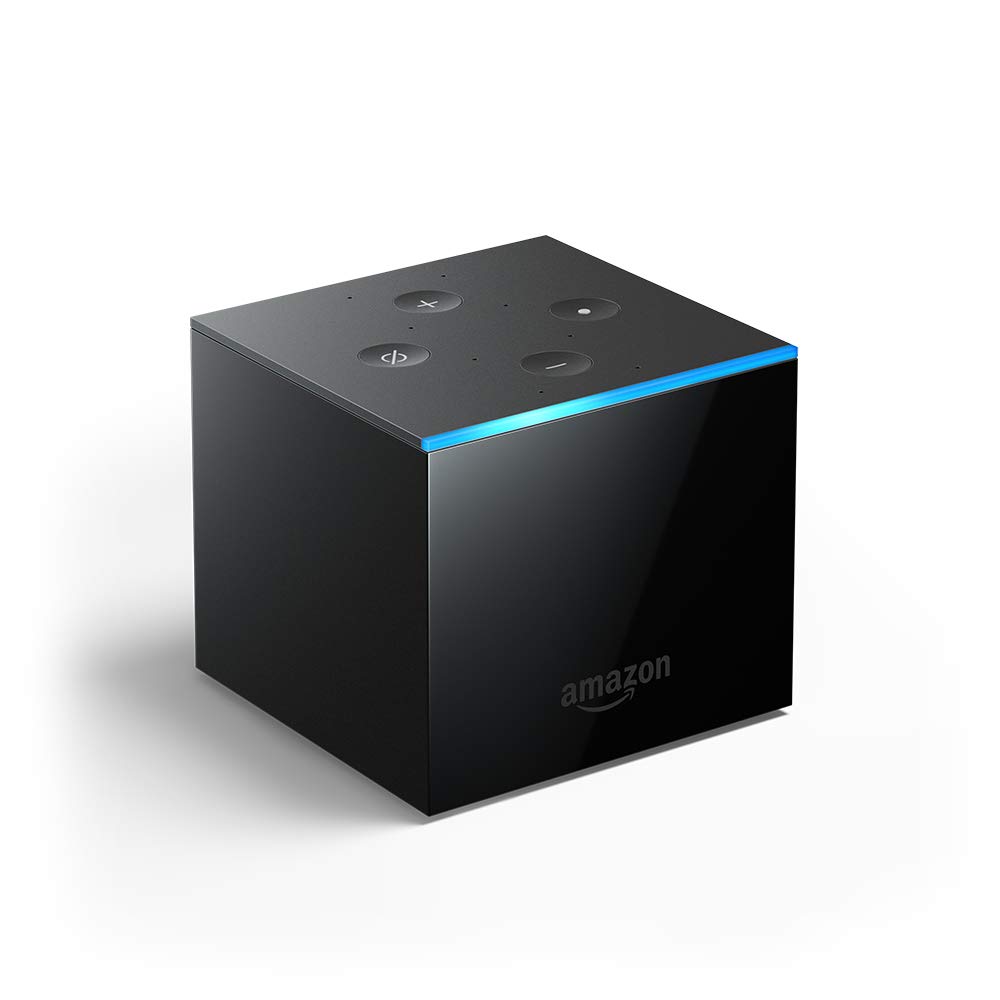
Fire TV Cube 4K: £109.99 £69.99 at Argos
It's a little older, being a 2019 model, but the Fire TV Cube remains Amazon's most-advanced streaming device. It offers all the leading AV tools, including Dolby Atmos audio, and acts as an Alexa speaker in its own right, with a built in mic.View Deal

Black Friday Fire Stick deals in the US

Fire TV Stick Lite with Alexa Voice Remote: $29.99 $17.99 at Amazon
The all-new Fire TV Stick Lite gets a first-time price cut at Amazon. For just $17.99, the streaming player allows you to enjoy tens of thousands of channels, apps, and Alexa skills, and features an Alexa voice remote.
View Deal

Fire TV Stick 4K with Alexa Voice Remote: $49.99 $29.99 at Amazon
Stream your favorite content in 4K resolution with HDR too with the 4K Fire TV Stick that's on sale for just $29.99. The streaming player includes an Alexa voice remote so you can use your voice to control your TV.
View Deal

More Fire TV stick deals

We're tracking all the latest Amazon Fire TV stick deals right here on TechRadar, but you can also check out the best cheap TV deals and Roku sales as well. 


from TechRadar - All the latest technology news https://ift.tt/3mQUte7
via IFTTT

ViewSonic M1 mini portable LED projector launched in India

ViewSonic has added two new projectors in the M series in India today. The new M1 mini and M1 mini Plus are the company's latest ultra-portable LED projectors. 

The company had previously launched two premium projectors back in August. The newly launched M1 mini and M1 mini Plus are pocket pocket-sized and they come with power bank compatibility and integrated JBL speakers for better audio. The ViewSonic M1 mini and M1 mini Plus projectors also received iF Design Award 2020 for its ultra-compact form factor and overall design excellence.

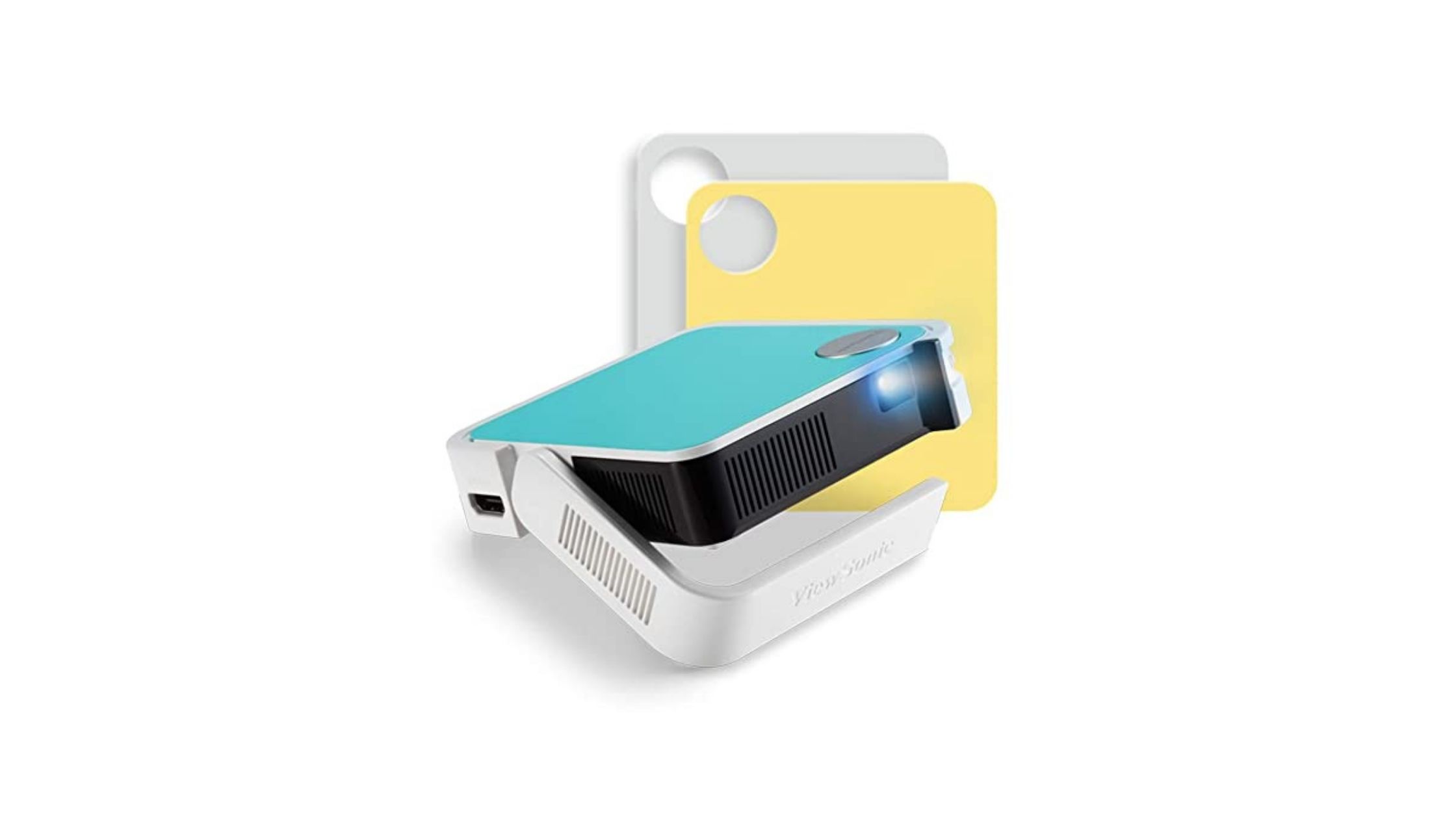
 ViewSonic M1 mini

(Image credit: Amazon)

The ViewSonic M1 mini, you get 120 LED lumens of brightness and native Full HD resolution content support. The mini pocket sizes projector is also lightweight and can be easily carried. The LED projector offers up to 30,000 hours of usage for a low TCO. 

The M1 mini is also integrated with a smart stand that allows you to place the projector in multiple positions and angles. While not in use, the stand can be used as a lens cover. It comes with a  USB port that enables you to play multimedia content from an external drive. It measures 4 x 4 inches. The ViewSonic M1 mini can be used anywhere you want can be carried in a purse, backpack or back pocket. 

The M1 mini feature a built-in battery that provides up to two and a half hours of power on a single charge. It can be charged with a power bank also. It is available in three colour options- Teal, Yellow, and Grey.

ViewSonic M1 mini Plus

(Image credit: Amazon)

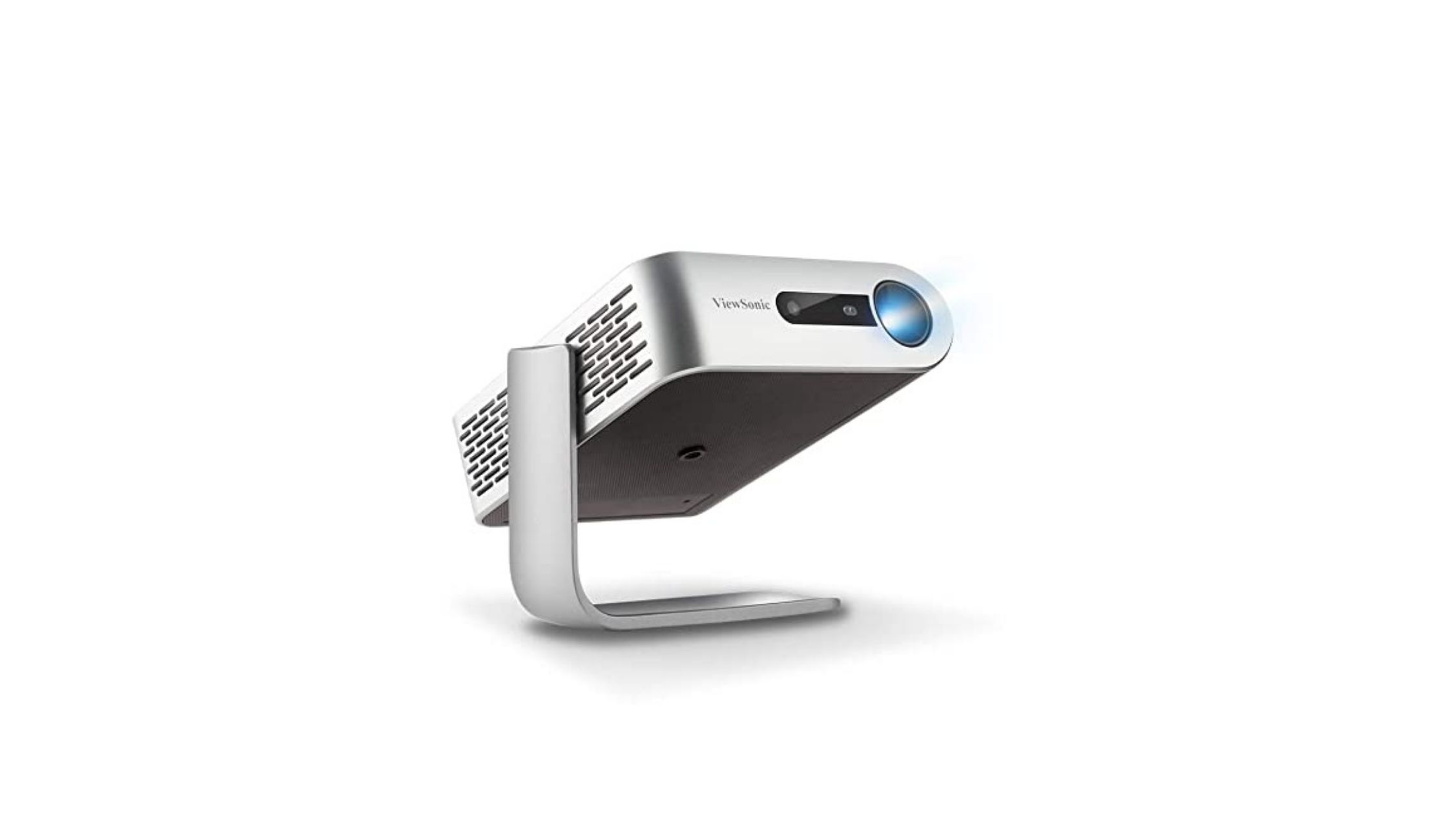
The ViewSonic M1 mini Plus offers 120 LED lumens of brightness with native WVGA Full HD resolution. It comes with support for Wi-Fi as well as Bluetooth and has a built-in JBL speaker. This projector is also smart TV enabled and offers multiple smart features. 

For starters, you can stream and binge-watch their favourite shows from popular content providers like YouTube and Netflix. The vCastSender app allows you to connect to your smartphone and pair it with your projector under the same Wi-Fi. The application supports both Android and iOS devices. The M1 mini Plus comes with 8GB of internal storage and it also comes with a USB-A port in addition to the HDMI slot. 

Just like the M1 mini, the M1 mini Plus can also last up to two and a half hours on a single charge and can be charged with a power bank also. It is available in three colour options- Teal, Yellow, and Grey.

We have received an overwhelming response for our M series projectors in the Indian market, and are extremely delighted to launch the M1 mini and M1 mini Plus portable LED projectors here. At ViewSonic it is our mission to address the customer’s needs and provide them with relevant visual solutions and create products which are far superior in nature,” said Mr Muneer Ahmad, AV Head, ViewSonic India. 

Pricing and availability

The ViewSonic M1 mini Is priced at Rs  39,500 and the ViewSonic M1 mini Plus is priced at Rs INR 42,000. Both projectors will be available in offline stores across India. 


from TechRadar - All the latest technology news https://ift.tt/2SFMNOt
via IFTTT

BenQ TH585 home entertainment projector launched in India

Expanding its home entertainment projector range, BenQ has announced its new projector in India today. The company has unveiled BenQ TH585 in India.

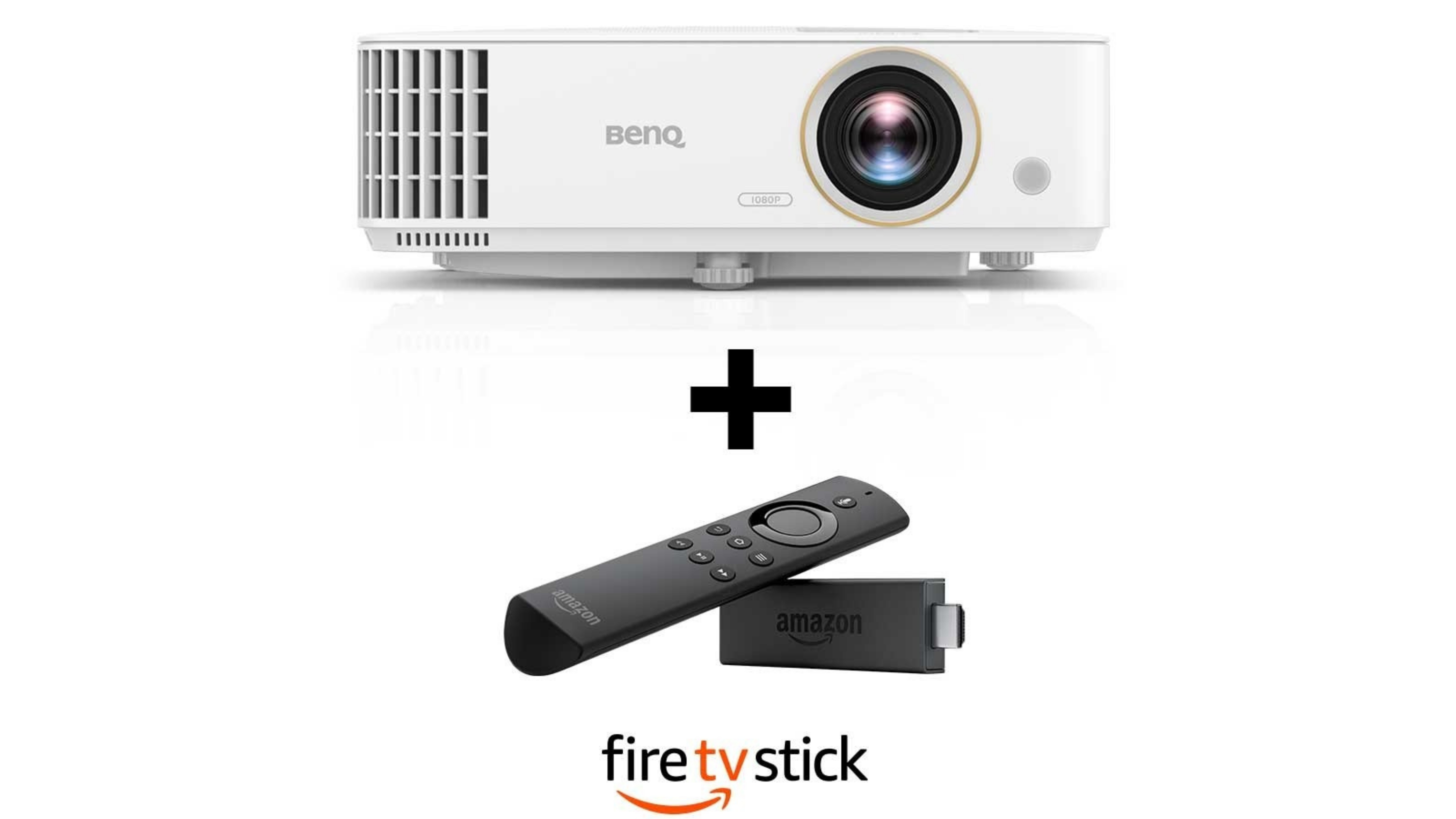
The BenQ TH585 is a Full HD home projector with support for up to 1080 pixel resolution with 3500 ANSI lumens and 10,000:1 contrast ratio which gives you a better viewing experience even with the well lit environment. The BenQ TH585 projector comes equipped with 3500 lumens of high brightness for living room viewing. 

As for colour accuracy, it comes with 95% Rec. 709 colour accuracy which gives you real colours. The projection can get as big as 100-inch from 3 meters. It comes with easy to install process. The BenQ TH585 set up takes only a few seconds to convert you home into a big entertainment hub. For audio, you also get a built-in 10W speaker in the projector. You can connect the projector to a streaming device, gaming console, Blue-ray player, or Handheld device. 

There is also a 16ms low input lag and microsecond DMD fast response for the ultra-smooth gaming experience. Lastly, BenQ says you can get up to 15,000 hours lamp life with Lamp Save Mode. This enables sustained entertainment over a long period of time.

(Image credit: BenQ)

The BenQ TH585 is available on Amazon for Rs 64,990. For this price, you also get a free Amazon Fire TV Stick and there is also no-cost EMI offer on the purchase. Soon, the projector will be available in offline stores as well.

Commenting on the announcement, Rajeev Singh, Managing Director, BenQ India said “The launch comes, keeping in mind the current times when people realize the importance of entertainment at home. With limited and restricted options of outdoor entertainment, we enable people to enjoy at home. They have an opportunity to binge-watch their favourite shows, Bollywood blockbusters or schedule a match night with friends and family with a widescreen and powerful sound. With this announcement, BenQ aims to enhance the OTT content-viewing experience from the safety and comfort of home. We are delighted to introduce TH585 in India, and are confident that people will find the product easy to use at home”.


from TechRadar - All the latest technology news https://ift.tt/32W9EdB
via IFTTT

Ben Affleck will be Batman once more in The Flash movie – alongside a fan favorite

Ben Affleck will be returning as Bruce Wayne, donning the cap and cowl of Batman once more in the upcoming The Flash movie.

The casting was confirmed by a report from Vanity Fair. It also confirmed reports that the movie will focus on DC Comic's 2011 Flashpoint series, in which The Flash, aka Barry Allen, the super speedy hero currently being played by Ezra Miller, opens up paths to parallel dimensions.

And with parallel dimensions comes the potential to bring out all sorts of variations on characters old and new which means that, in truly exciting news, Micheal Keaton, the caped crusader of Tim Burton's late 80s and early 90s Batman films, will also be returning.

Speaking of Affleck's involvement, director Andy Muschietti said:

"He’s a very substantial part of the emotional impact of the movie. The interaction and relationship between Barry and Affleck’s Wayne will bring an emotional level that we haven’t seen before.

"It’s Barry’s movie, it’s Barry’s story, but their characters are more related than we think. They both lost their mothers to murder, and that’s one of the emotional vessels of the movie. That’s where the Affleck Batman kicks in.”

As we've discussed before, the introduction of the multiverse is a smart move from DC. It allows all its various (sometimes conflicting) takes on its popular characters to exist at once, from Batfleck to Robert Pattinson's upcoming The Batman, Jared Leto's Suicide Squad Joker and Joaquin Phoenix's Oscar winning take on the villain. 

Fandom can be very divisive, and having multiple takes on a character, just as in the world of comics (while giving them an in-canon reason to exist alongside each other) lets fans of all the different incarnations have their cake and eat it.

The Flash movie is currently slated to hit cinemas in 2022. Expect to hear more on its development during this week's DC Fandome event.


from TechRadar - All the latest technology news https://ift.tt/31gxwsH
via IFTTT

ViewSonic announces two premium projectors in India

ViewSonic has announced two new premium and advanced lamp-free projectors in India. The company has unveiled ViewSonic M2 and ViewSonic X10-4K+ projectors. 

The ViewSonic M2 is the cheaper one among the two and comes with an ultra-slim design. The more premium and expensive ViewSonic X10-4K+ is the upgraded X series projector with 4K chipset. Both M2 and X10-4K+ projectors come with Amazon Alexa and Google Assistant support. 

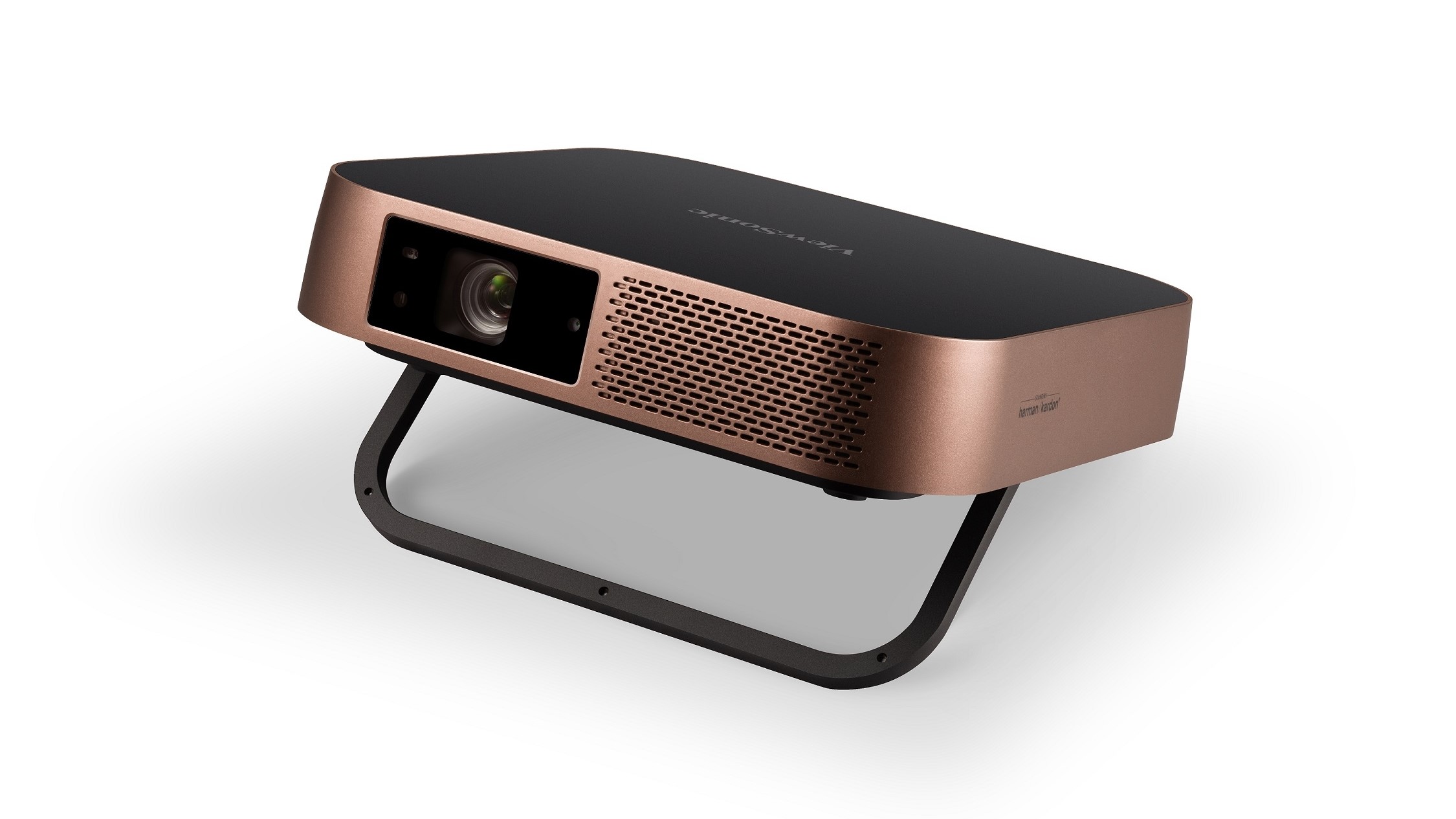
 ViewSonic M2

(Image credit: ViewSonic)

With ViewSonic M2, you get Full HD 1920 x 1080 native resolution with Cinema SuperColor+ technology and HDR content support. The M2 also supports 3D content for a more immersive viewing experience. You also get screen mirroring functionality that allows you to cast your smartphone screen and share content wirelessly. It features 1,200 LED lumens and a shorter 1.23 throw ratio, the projector is powerful enough to display large images in small spaces. The M2 offers up to 30,000 hours of usage. You can tilt the projector for customizable projection angles. The projector is Smart TV enabled and can also be mounted on a tripod. 

The projector houses 16GB internal storage so that you can watch content locally. Connectivity options onboard include HDMI 1.4, USB 2.0, USB-C, Audio Out, and a Micro SD card reader. The size of the projector is the smaller-than-A4 size form factor. This is an ideal projector for people who travel and need a project that they can carry along.  It can also be charged with a power bank. 

ViewSonic X10-4K+

(Image credit: Amazon)

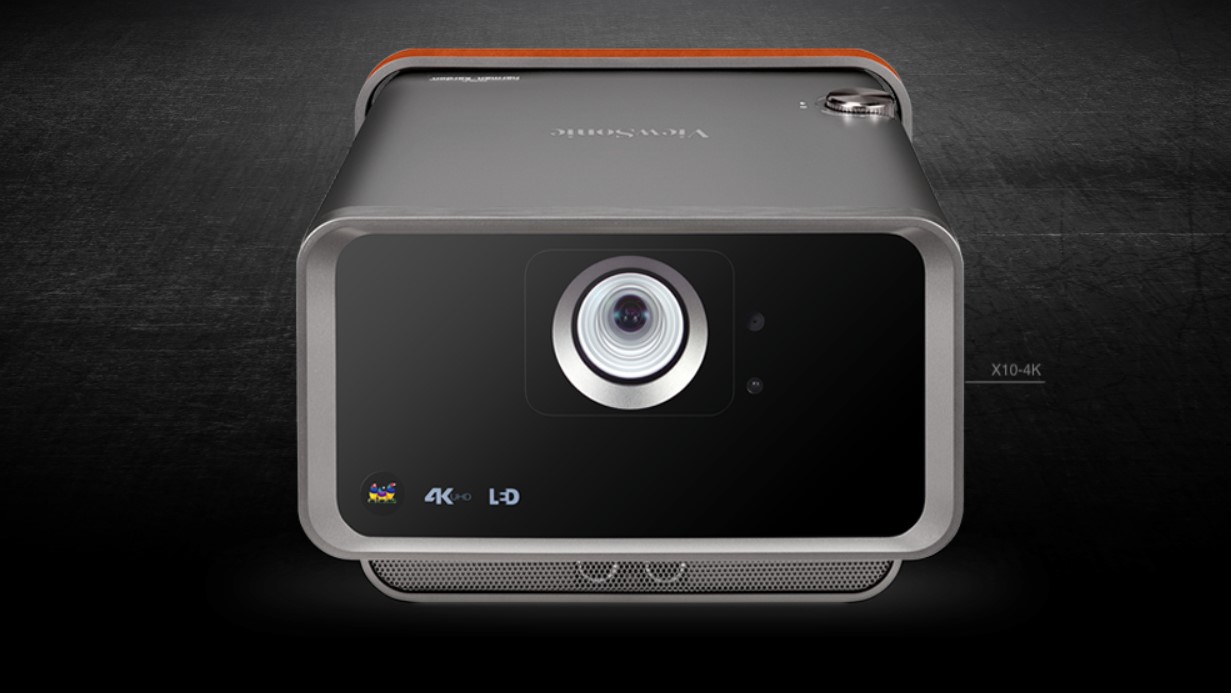
The ViewSonic X10-4K+ LED portable projector can project up to 4K Ultra HD (3840 x 2160). It is integrated with a chipset with XPR technology. The projector offers up to 30,000 hours of operational life and features 2,500 LED lumens of brightness and a contrast ratio of 4000000:1. It features 125% of Rec.709 colour accuracy and Frame Interpolation technology, which reduces motion blur. There is support for  HDR content and support for up to 200-inch screen size. 

Just like the ViewSonic M2, the ViewSonic X10-4K+ also comes with an integrated Smart TV interface. You can enjoy shows and movies from OTT players like Netflix, YouTube, and more. You get Wi-Fi support onboard to stream content from smartphones.  The connectivity options include HDMI 2.0/HDCP 2.2, USB 2.0 Type-A, Type-C, Audio In/Out, and RJ45. 

Pricing and availability

The ViewSonic M2 Is priced at Rs 98,000 and the ViewSonic X10-4K+ is priced at Rs INR 3,65,000. Both projectors will be available in offline stores across India. 


from TechRadar - All the latest technology news https://ift.tt/3l70wLd
via IFTTT

Mixer's death means the Xbox Series X could have Facebook Gaming

Microsoft dropped a bombshell announcement today in the middle of Apple’s WWDC 2020 event: the company will shut down Mixer in July and redirect all traffic to Facebook Gaming. 

In an interview with The Verge, Xbox Chief Phil Spencer says the move is going to help gamers get more of what they want to see in a more seamless way and says that the service was struggling to keep pace with Twitch and YouTube. 

“We started pretty far behind, in terms of where Mixer’s monthly active viewers were compared to some of the big players out there,” Spencer said. “I think the Mixer community is really going to benefit from the broad audience that Facebook has through their properties, and the abilities to reach gamers in a very seamless way through the social platform Facebook has.”

The transition will take place on July 22, at which point all Mixer streams will redirect to Facebook Gaming. Microsoft says all its existing streaming partners will be able to move to Facebook Gaming and immediately be granted partner status with Facebook’s Level Up Program. 

The trade-off here is that Facebook will begin implementing Microsoft’s xCloud game-streaming service on Facebook Gaming: eventually, the platform will enable PC gamers to jump directly into any game they’re watching on a stream. 

It could also mean that the Xbox Series X will use Facebook Gaming instead of Mixer.

Will the Xbox Series X use Facebook Gaming, YouTube or Twitch? 

Before today, it seemed like Mixer on Xbox Series X was a shoo-in. The streaming service has been integrated into the Xbox One for over two years now, and it didn’t sound like that would change with the Xbox Series X.

Now, though, it’s anyone’s guess as to which streaming service Microsoft will include on Xbox Series X. 

The partnership with Facebook does hint at a future where we see Facebook Gaming replace Mixer on the next Xbox console – but it could also open the door for Microsoft to partner with YouTube and/or Twitch, too. 

The best-case scenario is that Microsoft will continue to support all the game-streaming services and will give you that option every time you hit the new share button on the Xbox Series X.

Whether or not that will be the case, however, we'll just have to wait to find out.


from TechRadar - All the latest technology news https://ift.tt/3dmap2R
via IFTTT

Everything announced at WWDC 2020

Apple’s midyear WWDC event is largely dedicated to developers, but the opening showcase is all about what’s coming for consumers. And while this year’s WWDC 2020 keynote didn’t reveal any hardware per se, it had plenty of exciting software changes coming to Apple’s lineup of devices.

While no devices were shown off, the event had one giant announcement: going forward, the tech giant will be ditching Intel chipsets in its Mac lineup in favor of one designed by Apple itself. That’s right: just like the iPhone, iPad, and Apple Watch lines all use in-house chipsets, the Mac family will get proprietary silicon. 

But there’s still plenty to get excited about with operating system updates. For instance, there are some meaty quality-of-life changes coming to iOS 14 that will auto-organize your app collection, enhance group chats, enhance Maps with greener navigation options, and make it far easier to download relevant apps while you’re out and about. And it’s finally catching up to Android by adding picture-in-picture video viewing.

iPadOS 14 will get some of those iOS perks itself along with more features that take advantage of tablet screens, like ‘sidebars’ filled with useful shortcuts and more robust menu choices. WatchOS 7 finally gets sleep tracking, as well as more workout modes and better customization of watch faces. Heck, it’ll even monitor how long you’re washing your hands.

MacOS 11 Big Sur, as it’s named, gets interface refinements and tweaks to Finder and the Toolbar, as well as a Control Center a la iOS and iPadOS for quick shortcuts to brightness and other features. For Apple TV, tvOS 14 is adding picture-in-picture and support for specialty Xbox controllers like the Xbox Elite 2 and Xbox Adaptive Controller.

That’s a lot of upgrades, both long-awaited and unanticipated-but-welcome. Here’s a breakdown for every corner of the Apple ecosystem that’s slated to get new tricks. 

Everything we heard at WWDC 2020

Mac’s Apple chipset: one for the whole Mac family, eventually

The big announcement of the day was saved for the Mac family, which is officially shifting away from Intel chips to use Apple-designed silicon in future Apple desktop machines. The first Mac to use an Apple chipset will be released before the end of 2020, while the transition for the full device lineup will take two years, Apple CEO Tim Cook said. The company is still pledging to support Intel-powered machines with new software upgrades for years. 

Apple didn’t undersell the importance of the moment, and compared this transition to three prior Mac turning points in the device’s history: when it shifted to PowerPC chipsets, then when it introduced MacOS X, and finally when it adopted Intel chipsets. 

Why change silicon? Apple credited its own chipsets as crucial to the success of its device line, starting with the A4 Bionic chipset in the iPhone 4 and onward with the Apple Watches and iPads released over the years. The new Mac chipsets will be a family of SoCs for the entire Mac line. Like its other system-on-chips, Apple is focusing on performance and power management with a neural engine for machine learning and scalable architecture.

iOS 14: quality of life, media watching, and getting around

iOS 14 has gotten the lion’s share of improvements at WWDC 2020. Most importantly, Apple has generously noticed how terrible we all are at organizing our pages and pages of apps – now, your final page on the Home Screen will be auto-generated app collections, and if you want, you can hide pages of apps you don’t really use. Yes, it feels a little Android-ish to us, too.

You can also insert mini-apps called Widgets into your Home Screen pages – think of them as the abbreviated apps you’d see on your Apple Watches, which you can customize in the Widget Gallery. iMessages has improved, too, adding some work chat-inspired features like inline replies and pinned conversations. 

Siri will no longer take up the full screen, opting instead for a small popup at the bottom of the display, and can now send audio messages. And another inherited-from-Android feature: iOS 14 will get picture-in-picture video viewing. Huzzah.

Maps has been upgraded to offer cycling directions, which will be added to a handful of big cities at first. Cycling will give you ideas of elevation and suggested routes, while a new dedicated EV mode will track routes from EV recharging station to recharging station. 

Carplay has some upgrades too, including new backgrounds and, in select vehicles, allowing users to use their phones in place of car key fobs. The first car to take advantage of this will be the newest BMW 5 series: in the presentation, we saw someone unlock their doors via NFC on their iPhone. This goes beyond one linked device: it allows you to share ‘keys’ and vary access with conceivably anyone with an iPhone. This feature will be coming in iOS 14 but will also be made available in July for iOS 13 users.

Finally, iOS 14 will get improvements to the App Store in the form of new App Clips, which are small digital pop-ups prompting users to download the right app for a service. These can be triggered via NFC – like waving your iPhone in front of a smart scooter station – but they can also be prompted by text or QR code. Best of all, you don’t have to necessarily go through the rigmarole of registering with a new service so long as they accept Apple Pay and signing in with Apple. 

iPadOS 14: more real estate, some iOS 14 perks 

While iPadOS has been out since late 2019, we haven’t seen it shift course much from iOS. iPadOS 14 will bring more features and perks to take advantage of tablet screens.

Some of these had obvious appeal: Apple showcased new sidebars for apps that offer shortcuts and handy perks – think of similar toolboxes and panels in Adobe apps – along with expanded menu dropdowns. 

There are less flashy methods to expand the real estate, like adding art and lyrics when listening to music in full-screen mode. Other tweaks are simply functional: instead of taking over the full screen, incoming calls will be reduced to just a notification tab at the top – a change that’s also coming to iPhoneOS 14. That goes both ways: iPad will get those nice widget and app auto-organizing features coming to iPhoneOS 14, but we imagine they’ll have a greater effect on an iPad screen.

There are Apple Pencil upgrades, too. A new feature called Scribble lets you write in text fields (like, say, Safari’s search bar) and your penmanship will automatically be converted to typed text. There’s also assistance for your handwritten notes that ‘fixes’ your drawings into shapes – make a wobbly arrow and iPads will straighten it out for you. There’s also new text recognition features: you can select written words and even copy blocks of them to paste into other apps, where it will be converted to typed text. 

AirPods: smarter device switching and surround sound...even in motion

New firmware upgrades will improve automatic switching between your Apple ecosystem devices: if you’re watching media on your iPad and listening through AirPods, but get a call on your iPhone, your AirPods should automatically switch over.. 

The AirPods Pro also get a ‘big if true’ update that simulates directional surround sound using algorithms, audio filters, and tinkered frequencies. What that means: if you physically move your head, the accelerometer and sensors in the Pro keep the sound oriented around your device, allowing you to tilt your ears around a cohesive soundspace. This will supposedly adjust even if your entire body is shifted – like, say, if you’re riding a bus.

Apple Watch 6: Sleep tracking at last. And hand washing?

WatchOS 7 has refined how developers can craft complications, enabling more combinations and watch faces to help users create their own ideal watch faces. Apple’s also made it easier to share watch faces via a new feature, Face Sharing. When you see a watch face you like, click the button prompt and it will download – as well as prompt you to get any missing complications.

Just like in iOS 14, watchOS 7 includes improvements to Maps that add cycling directions, with elevation changes and navigation prompts that appear as large, easy-to-read complications.

Workouts are getting an upgrade, too, adding Dance as a total body workout, which tracks popular (yet broadly-defined) dance styles like Hip Hop and Latin. How? Advanced algorithms detect the difference when wearers use just their arms, just their legs, or combinations of the two. There are more workouts, too, like core training, functional strength training, and even cooldowns for post-workout sessions. The corresponding Activity app in iOS 14 has also been redesigned.

But the big addition is sleep tracking, which uses machine learning to detect patterns and feeds the info into the Health app on the Apple Watch ad linked iPhone. The feature prompts users to establish their own ‘wind down’ routine to end the day. In the morning, wearers can be woken up with either audio tones or haptic vibration for quieter personal alarm. They’re greeted by a wake-up screen with status updates to start your day like temperature, notifications – and crucially, battery life. 

Finally, watchOS 7 is getting another health feature of sorts: handwashing detection. Your Apple Watch will harness machine learning and analyze audio to monitor whether you’re washing your hands for the duration of a full 20-second countdown, with fun sounds and a ‘well done’ at the end. 

MacOS: Big Sur

The next macOS update is officially named Big Sur, taking its title from yet another classic California locale. But with the new version comes a bunch of changes. Many of these are interface tweaks, aspiring for more clarity. Windows will use depth, shading, and translucency to convey a hierarchy, which will come to both light and dark modes. 

Other tweaks are just as svelte: Mac apps are becoming more squared-off (‘squircles,’ if you will), with a new sidebar and toolbar for Finder. But other shifts are bigger, like macOS inheriting the Control Center from iOS, allowing users quick access to brightness and other settings. There’s also a notification center that lists notifications and widgets, too, like the ones headed to iOS 14.

Maps will also get improvements in macOS Big Sur, with indoor maps and Lookaround (Apple’s street view) and other iOS 14 upgrades like cycling and electric vehicle station navigation. 

Safari: refinements

Safari is also getting some improvements, with site privacy reports that show what they’re accessing. Safari will monitor your saved passwords and compare them against data breaches, which Google already does with Chrome. 

As other browsers get smarter about tab management, Safari is introducing new features: hovering over one, for instance, shows a preview of the page. 

tvOS 14: Xbox gaming time

In tvOS 14, gaming will get multi-user support, while support will be added for specialty the Xbox Elite 2 and Xbox Adaptive Controller. Picture-in-picture is coming to Apple TV, too.


from TechRadar - All the latest technology news https://ift.tt/316V4AL
via IFTTT
This little-known malware strain threatens the privacy of Mac users

Sophos Labs has discovered a new software installer for macOS that installs multiple unwanted applications or “bundleware” on users' systems under the guide of installing one legitimate application.

The installer, which is primarily targeting macOS Catalina users, includes a total of seven “potentially unwanted applications” (PUAs) including three that target Apple's Safari web browser to inject ads, hijack download links and redirect search queries with the aim of stealing users' clicks to generate income. In at least one case, the injected content was used for malvertising by showing a malicious ad that prompted users to download a fake Adobe Flash update.

Sophos has identified the installer as belonging to the Bundlore family. Bundlore is a common macOS bundleware installer family that accounts for nearly seven percent of all attacks detected by the security company targeting Apple's operating system.

Bundlore is also used to target Windows users through extensions for Google Chrome and some of the code used to target Chrome is shared with the versions of the adware that target macOS.

Bundlelore

The recent macOS samples discovered by Sophos stand out from previous versions of Bundlore due to the fact that they have been updated to keep up with recent changes in macOS and Safari, particularly Apple's changes to the format for Safari browser extensions.

The Bundlore sample analyzed contained multiple Safari extension payloads including two in the new App Extension format. However, these extensions were adware that contained code which injected new advertisements and download links and even redirected search queries from certain search engines. Based on code taken from a remote server that supports two extensions, Sophos discovered dozens of search affiliate names related to the ad injector and search modification payload as well as affiliate codes used to profit from visits to other sites.

PUAs are among the most common security threats to macOS because they can steal personal data and act as a pathway for both malvertising and other malware. Thankfully though, endpoint protection software is able to block PUAs and Apple's XProtect feature in macOS can block known Bundlore payloads.

Sophos' Sean Gallagher and Xinran Wu provided further insight on the security company's findings in a blog post, saying:

“Based on these and other samples we’ve observed, it’s clear that adware developers are clearly embracing the transition to Safari App Extension format and are updating their payload scripts. Browser extensions are increasingly popular as applications move to the cloud, and web browsers become the most heavily-used component of operating systems. So they will correspondingly continue to be a target for scams such as adware.”


from TechRadar - All the latest technology news https://ift.tt/37U9s0E
via IFTTT

4th of July sales 2020: the best deals from Home Depot, Lowe's and Best Buy

The 4th of July is just around the corner, which means a long holiday weekend filled with family, friends, and outdoor fun. You can also find fantastic 4th of July sales from your favorite retailers like Home Depot, Best Buy, Amazon, and Lowe's.

The biggest categories discounted during the 4th of July sale event include appliances, grills, furniture, laptops, and TVs. The 4th of July is also a fantastic time to find deals on mattresses with retailers like Dreamcloud offering $300 worth of free accessories, and 20% off sitewide at Bear Mattress.

Home Depot and Lowe's are just a few retailers that will be discounting top-brand appliances, and tech retailers like Dell and Best Buy have fantastic deals on electronics.

See our full list of 4th of July sales below and make sure to bookmark this page as we'll be continuously updating it with the best bargains leading up the holiday event. Plus, with Amazon Prime Day still up in the air, this might be your last chance to score record-low prices on this year's hottest items.

The best 4th of July sales 2020:

Our best 4th of July sale picks:

When do 4th of July sales start?

The 4th of July falls on a Saturday this year, so we'll see most sales starting that week on Monday, June 29. All sales will last through the holiday weekend, and most will end on Monday, July 6.

We'll be updating this page daily with all of the current sales, so make sure to check back each day for new discounts and deals.

Who has the best 4th of July sales?

The biggest categories discounted during the 4th of July include furniture, appliances, mattresses, and TVs. Because 4th of July is a summer celebration, you can find discounts on several outdoor items such as grills, patio furniture, lawn mowers, and plants.

The 4th of July is also a fantastic time to find deals on mattresses with retailers like Purple and Temper-Pedic participating in sitewide sales. Home Depot and Best Buy are just a few retailers that will be discounting top-brand appliances all weekend long, and tech retailers like Dell have fantastic deals on laptops.


from TechRadar - All the latest technology news https://ift.tt/2UepKeT
via IFTTT

WFH? Use these pro-gamer tips to optimise your setup and perfect your mindset

While it will come as no surprise to learn that gamers are one of the few demographics that have actually been enjoying lockdown, what may be more surprising is that professional gamers – those that compete in esports tournaments for big prizes across Australia and around the globe – have developed a work ethic and model that can teach all of us a thing or two about working from home.

Professional gamers need to balance their many hours of intense focus in front of a computer screen with healthy schedules that keep them capable of maintaining optimal performance, both physically and mentally, at all times. So, which techniques do they use, and which technology do they recommend?

To find out, we reached out to Legacy Esports – one of the most successful esports organisations in the burgeoning Oceanic Region with teams and streamers currently competing in games including Fortnite, Hearthstone, Starcraft 2 and the hugely popular League of Legends. Its techniques have been proven in the field too: in April, its League of Legends team was crowned Oceanic Pro League (OPL) Champions.

We asked Tim Wendel, Head of Esports for Legacy Esports, what we could learn from their success. After all, as he puts it, “Working from home under quarantine hasn’t really changed much for what we do… we’re very used to operating in this space.”

Communication is key

For Tim Wendell, Head of Esports at Legacy Esports, remotely communicating and coordinating with team members has always been the norm.

Many office workers will have been getting to grips with Zoom for meetings and communication, but pro-gamers are already well versed at coordinating with their co-workers remotely. Winning means sharing information quickly – calling out enemy positions with military-grade efficiency, for example – and operating as though your teammates (who could be many kilometres away) are sitting right next to them.

Legacy Esports uses the gamer-oriented multi-channelled Discord app for voice and text communications, but Tim’s experience with it translates to all web conference-related communication software. His first point is to ensure that everyone has very good microphones for clarity – it’s neither professional nor helpful to others to sound like you’re talking from the bottom of a well. He adds, “For people now working from home, the key is to become familiar with the software that your team or company uses. It’s going to save you a lot of time being able to fix your own problems as opposed to going to IT every time something goes wrong. It could be that your microphone was on local mute as opposed to muted in the software – any number of issues.”

Microphone and speaker problems are certainly regular bugbears for the new world of conference calls: being able to diagnose whether an issue stems from computer settings, headset buttons/dials, another attendee, the local network or third-party cloud service, is important. Meetings can quickly become derailed by key participants not having functional audio or video, and providing remote tech support can be difficult, especially when it comes to explaining how to navigate hidden settings in apps (and operating systems) to those who are not tech-savvy.

The key lesson here is to plan ahead and test your setup prior to any important events. This will give you enough advance time to Google a specific problem, or ask a colleague for help.

Healthy body, healthy mindset

Samsung's curved gaming monitors are kind on the eyes and can easily do double-duty as your primary work display.

“Esports professionals put in some of the longest hours, of any profession, into their craft. Consequently, taking regular breaks is important and so is posture and stretching,” says Tim. Indeed, when training primarily involves sitting in front of a screen, clutching a mouse and keyboard, for many hours, every day, it becomes particularly important to understand and compensate for the negative effect that this has on one’s body. Tim says that getting up at least once an hour and stretching – even if it’s only for five minutes – is very important.

He continues, “There is a gamer stretch routine which focuses on warming-up. It involves pulling your fingers back one way and then back the other way. It’s really about loosening up any tension: your forearms can become very tense when holding a mouse and using a keyboard for prolonged periods.” This will help stave off the primary affliction that blights the world of Esports: RSI.

Beyond that, following a rigid schedule was essential. While training alongside teammates kept pro gamers from missing most sessions, there was still a great deal of solo work required. Having them stick to tight schedules for practice, rest, exercise and performance reviews helps the team and each individual member to structure their days.

He also adds the following advice, “When your routine changes, try to build a schedule that includes alarms or reminders for checking your messages. If you are used to only checking your emails in one big block each day, it might make sense to be a bit more dynamic during this time.” He concludes, “Also, there shouldn’t be any excuse not to stick to a healthy diet. Even maintaining exercise isn’t difficult, as online classes and live sessions with personal trainers are widely available.”

Get the right gear for the job

Samsung's T7 SSDs are an easy way to add robust, super-fast external storage to any PC or Mac.

Every job is simpler when you have the right tools to do it and, just as a blunt knife acts as a frustrating barrier to a chef, having a slow computer or poor-quality peripherals can act as a major barrier to office productivity. To that end, Samsung provides Legacy Esports with a variety of high-quality equipment to help them perform their best, including fast computer memory, SSDs and curved gaming monitors. Tim says, “All players who have received them have enjoyed the benefits. Not having to wait long for your computer to boot, being able to load games quickly and having plenty of room to store games [has proved particularly popular].”

He also stresses the importance of having an ergonomic chair. “Gaming chairs are hot items in esports, right now, with multiple manufacturers including elements like adjustable armrests and lumbar support. But, as long as you have a good chair that supports good posture; that’s the most important thing.” He adds that while it’s important to ensure that forearms are level with the table, there is no special gaming posture, or way to hold a mouse, that will stop you from getting tired.

Nonetheless, Tim still recommends using a curved monitor (or two) for work purposes: “Having a curved screen means I move my eyes less to reach corner to corner whereas, with a flat monitor the space feels wider. It feels like I’m using my eyes less to see the whole screen. Also, using two monitors makes it easy to multitask by providing multiple sources of information. Working on one monitor, while source information or messages appear on the other, makes things much easier.” He adds that, connecting to ultra widescreen monitors can particularly boost productivity versus being hunched over a laptop screen – and will help encourage better posture, too.

Top tech for WFH

The 970 EVO Plus range of SSDs offer terrific performance and can help reduce both boot up and load times, as well as making your PC more responsive for both work and games. 

Samsung CT55 1000R curved monitor: Whether at home or in the office, curved monitors make it easier to tackle demanding tasks, offering a more natural and comfortable viewing experience. The Samsung CT55 features a 1000R curvature that matches the human field of view allowing you to see the whole screen in just one glance, which can help to limit visual fatigue, especially during sustained use scenarios. Another benefit of using a curved monitor is the ability to use it as a second monitor, making it easier to multi-task.

Samsung EVO Plus NVMe SSDs: These solid-state drives are fast and yet small enough to power both laptops and desktops alike. Boot times will plummet, as will the loading times of applications. Despite the diminutive dimensions they still pack in up-to 2TB of storage, so you won’t be running out of space any time soon.

Samsung Portable SSD T7: With increasing file sizes (especially when it comes to multimedia), running out of storage space on your laptop or desktop is a fairly common problem. Samsung’s portable SSDs, such as the T7, offer an easy way to add super-fast external storage, allow you to both save and work from large files on a separate drive – even demanding jobs like video editing can be done directly from a Samsung Portable SSD, so there’s no need to transfer files between the external SSD and your computer’s internal storage.

Samsung 27-inch CRG5 curved monitor: The CRG5 combines a lightning-fast refresh rate through 240Hz RapidCurve™ technology and 1500R curvature, minimising lag time while displaying ultra-smooth scenes for a truly immersive experience. The 240Hz refresh rate allows a swift, effortless response to screen transitions and quickly changing situations, while the 1500R curved screen offers a wide view with just one glance. To eliminate tears, stuttering and any delay in the action, G-sync compatibility from NVIDIA synchronises the graphics processing unit (GPU) and panel, offering players exceptionally dynamic and seamless gameplay during any scene in full HD resolution.


from TechRadar - All the latest technology news https://ift.tt/3hYTN4K
via IFTTT

The Apple Watch 5 is just AU$399 in this epic eBay deal

eBay's Plus Month has just over a week to go before it ends, but there's still a bunch of ace daily deals to come before next Tuesday. Today's offering in particular is a ripper, with the online marketplace offering up the Apple Watch 5 for a tiny AU$399, discounting the popular smartwatch by AU$250, or an incredible 38% off! 

There's a total of 500 units up for grabs in the Plus-exclusive deal, which unlock in batches of 100 at 10am, 12pm, 2pm, 4pm and 6pm.

Whilst Apple’s latest smartwatch isn’t all that different from the previous model in terms of design, its main change is that it comes with an always-on display for the first time. This means you don’t have to stimulate the watch to show your stats as they’re always displayed on a dimly lit screen.

Along with the usual fitness features you would expect from an Apple Watch, the new model boasts some additional top-of-the-range tracking modes, including an ECG monitor, GPS tracking, impressive heart rate monitoring and more. If you're looking for the very best Apple Watch, this is it!

As we mentioned earlier, this bargain price is only available for 500 units in total, which unlock throughout the day, and you need to be an eBay Plus subscriber to access the discount – if you’re not already a member, signing up is easy and includes a 30-day free trial, so can even just use the latter to score this fantastic smartwatch.

If the Watch is sold-out when you visit the store don't fret, as new units will be dropped at 12pm, 2pm, 4pm and 6pm – make sure to use the code PJT91 at checkout to receive your full discount.


from TechRadar - All the latest technology news https://ift.tt/313fVoh
via IFTTT

What is blue light? Glasses, filters, night shift, and dark mode explained

What is blue light? Those two simple words may well be causing you grief, in a screen-heavy society intent on getting you to work at a laptop, take breaks by scrolling through social media on your phone, and rest at the end of the day by… turning on the television.

In its simplest form, blue light is simply part of the light spectrum from infrared to UV (ultraviolet light). The reason you’re hearing so much about it these days, though, is that LCD screens emit a substantial amount – and our proximity to so many of them, for both our work and leisure, means we’re getting an awful lot of it.

Blue light has become something of a bugbear these days, with many claims around the impact of blue light on the quality of our sleep or even our eye health.

Studies certainly suggest that blue light can suppress the release of melatonin at night, making it harder to get to sleep or reach deep sleep states needed to fully rest. But when we end the day with the television or head to our smartphones to final-check our messages or set our morning alarms, it can be hard to break the routines keeping us in constant thrall to blue light.

That’s led to the creation of a host of blue light filter technologies, which aim to stop blue light reaching your eyes (through specialized spectacles) or possibly even leaving the screen at all (through protective screen filters).

This guide will run you through the science around blue light, why some concerns are more valid than others, and the aids currently available to help you out.

Blue light FAQ

  • What is blue light? Blue light is visible light at a wavelength of 400−525 nm
  • Where does blue light come from? LED screens such as those found on smartphones, TVs, and computers, as well as certain lamps and light bulbs
  • Does blue light affect sleep? Blue light has been shown to suppress the release of the sleep hormone melatonin, disrupting your circadian rhythm and making it harder to sleep well
  • Will blue light hurt my eyes? There’s no conclusive evidence for this, and the real culprit may be simply the amount of screen time in your day

OLED smartphones emit a lot less blue light than LED displays

Blue light: the science

We wouldn’t be doing our job if we didn’t come armed with some good, hard facts.

The important thing to remember is that blue light is a natural part of sunlight, and helps to keep us alert. The issue is when that blue light comes at times – say, late in the day – that mess with your circadian rhythm, telling your brain that it isn’t yet time to shut down for bed.

This is great for keeping you active in the late hours for a big project deadline, or if you’re trying to stay awake, but it’s not as great when you’re trying to sleep. Harvard Health cites numerous medical studies making a strong case for melatonin suppression by blue light – and specifically recommends people “avoid looking at bright screens beginning two to three hours before bed.”

The issue is fuzzier around eye health, though (more on this further down). Lots of uninterrupted screen time can absolutely irritate your eyes, though the issue may simply be because you’re focusing your attention at a fixed distance for hours on end, and therefore straining your vision. As ever, it’s good advice to take regular breaks from your screen, look out the window (if you have one), and walk about when you can to vary the distance your eyes are focusing on.

It's worth noting that OLED screens – like those used in the iPhone 11 Pro, or OLED TVs like the LG CX – emit far less blue light than traditional LED lighting technologies too (via FlatPanelsHD).

Other studies have suggested positive benefits to limiting blue light exposure or using filters, like this one (via GoodHousekeeping).

Screen recorders

The proximity of LED screens to our eyes means we're getting a lot of blue light

Blue light: night shift, dark mode, and f.lux

You may already be aware of software fixes for blue light, such as Apple’s Night Shift setting, which reduces levels of blue light, according to the time in your region, to reduce the intensity of the display: “Night Shift automatically adjusts the colours of your display to the warmer end of the spectrum – making the display easier on your eyes.”

f.lux is a similar program available for Mac, PC, iOS and Android. The issue with both Night Shift and f.lux is that they give screens a reddish or orange tint towards the end of the day – which isn’t ideal for watching Netflix shows or enjoying pretty much anything in its original colors.

The much-discussed dark mode, too, is something available on a host of different devices and apps. Dark mode generally turns automatically white backgrounds to black (or a dark color) to reduce the amount of light being emitted, hopefully reducing eye strain.

Get some amber light before you go to sleep

Blue light filters

There’s now a burgeoning market in blue light filters: effectively screen protectors that help to block out blue light on your most commonly-used devices.

Ocushield is one company making blue light filters for computer screens or smartphones. The options are a bit limited to certain models and sizes – you’ll have better luck getting the right fit with an iPhone or Macbook – but we got to test out a few ourselves, and were impressed. The filters clearly block out blue wavelengths without overtly affecting the color palette on your screen, meaning you’re not left with off-tone images. 

We’re told by Ocushield founder Dhruvin Patel that users of the filter are “limiting blue light while maintaining a crystal clear picture,” while also noting that software such as f.lux – designed largely for evening use – doesn’t address exposure to blue light throughout the rest of the day. “Cumulative exposure to blue light during the day also causes visual stress in the form of eye strain and headaches which a lot of people are unaware of.”

“Ocushield has been specially developed to reduce the spikes in blue light while maintaining a clear image,” said Patel. “Through research studies done on blue light, simply reducing blue light by 19% has been shown to have positive impacts on users. Ocushield filters limit blue light exposure by up to 40%, double the researched amount. Ocushield screen protectors are registered to the Medicines and Healthcare Regulatory Agency (MHRA) in the UK.”

Patel advises us to turn down the brightness on our devices, too: “The brightness on digital device screens also correlates to the intensity of blue light being emitted, if you decrease the brightness of your screen you will again reduce the impact at hand.”

Ray-Ban now stocks blue light protection lenses

Blue light glasses: should you buy them?

A new twist on UV-protective glasses in the past few years has been prescription glasses with a blue light filter overlaid on the lenses, which help to block out blue light instead of ultraviolet light. Even Ray-Ban includes a Blue Light Filter option for its prescription glasses, claiming “17% protection” for blue light wavelengths. In recent news, a Manchester-based eyewear company Arlo Wolf is giving out free blue-light lenses to NHS staff too.

A study by the US National Institutes of Health writes that "More than one-third of wearers found that a clear lens with a blue-filtering coating (BT lens, which all limit blue light up to 20%) provided better anti-glare performance and improved their vision for computer and mobile digital screens."

However, the UK's College of Optometrists states that "There is no strong evidence that blue-blocking spectacle lenses will improve visual performance, alleviate symptoms of eye strain or improve sleep quality. It is also unclear whether blue-light filtering lenses preserve macular health or alter the risks associated with the development or progression of AMD [age-related macular degeneration]."

The FDA doesn’t view blue light glasses as medical devices, either, and it may be too early to claim certain benefits or harm prevention conclusively.


from TechRadar - All the latest technology news https://ift.tt/2BnDzkS
via IFTTT

Netgear router security flaws finally patched after six months

Netgear has issued patches to fix security vulnerabilities in two of its routers which can be exploited by an attacker to take full control of the devices remotely.

The two devices that have received patches are the R6400v2 and R6700v3. However, 77 of Netgear's other routers reportedly still remain vulnerable to a zero-day vulnerability that was reported to the company back in January of this year.

The vulnerability, which lies in the HTTPD daemon used to manage the routers, was discovered independently by both Grimm's Adam Nichols and d4rkn3ss from Vietnam's VNPT ISC through the Zero Day Initiative (ZDI).

ZDI has released a report that includes some information about the vulnerability while Nichols has written a lengthy blog post describing it in detail, a Proof of Concept (PoC) exploit and even scripts to find vulnerable routers online.

Zero-day vulnerability

Based on the reports about the vulnerability, affected router models have an HTTPD daemon which does not adequately check the length of data supplied by a user and this allows an attacker to create a buffer overflow when data is copied to a fixed-length variable.

To exploit the flaw in Netgear's routers, an attacker would need to create a specially crafted string capable of executing commands on the device without having to authenticate first. In his blog post, Nichols explained that while stack cookies would normally be able to mitigate this vulnerability, many of Netgear's routers don't use them, saying:

“In most modern software, this vulnerability would be unexploitable. Modern software typically contains stack cookies which would prevent exploitation. However, the R7000 does not use stack cookies. In fact, of all of the Netgear products which share a common codebase, only the D8500 firmware version 1.0.3.29 and the R6300v2 firmware versions 1.0.4.12-1.0.4.20 use stack cookies. However, later versions of the D8500 and R6300v2 stopped using stack cookies, making this vulnerability once again exploitable.”

By default, the HTTPD Daemon these routers is only accessible via LAN, although router admins can enable it so it can be accessed remotely over the internet. However, attackers can still create malicious websites using JavaScript to perform DNS rebinding attacks which would allow them to execute commands remotely on routers that are not accessible over the internet.

If you have Netgear's R6400v2 or R6700v3 router you can download hot-fixes for the vulnerability now but if you have one of the 77 other affected routers, you're out of luck until the company releases patches for them.

Via BleepingComputer


from TechRadar - All the latest technology news https://ift.tt/30UiQQi
via IFTTT

Star Wars: Squadrons gameplay trailer reveals a true X-Wing successor

EA has released a gameplay trailer for Star Wars: Squadrons, the space combat game revealed earlier this week. It's touted as 'the definitive Star Wars pilot experience', and it looks terrific. 

Here's the trailer:

It's played entirely in first-person for realism, with the entire HUD is presented in the cockpit of your starfighter. Ships are divided into classes, which are fighters, bombers, support ships and interceptors, and you'll get to try each of the game's eight ships before you get into multiplayer. You can unlock cosmetics and components to upgrade and customize your ship. The idea is you can adjust your loadout in line with the rest of your squad for great strategic play. 

The game starts with a brand new story, set after Return of the Jedi, that has a dual perspective narrative technique. You create both an Imperial and Rebel pilot, and once the singleplayer is done, you jump into multiplayer.

The two modes available online appear to be dogfight and fleet battles. The latter involves multi-stage combat, and you'll be able to co. You win a dogfight in the center of the map, then the next stage involves destroying a larger vessel, before moving onto the final phase of taking out another team's capital ship. If you hold the line, you can push back and extend the match in fleet battle mode. It sounds pretty intensive. 

Ian Frazier, developer Motive Studios' creative director, was on-hand to introduce the game. "I played all the flight games in the '90s and I got pretty obsessed with them," he says. The clear suggestion is that this project comes from a lot of love and nostalgia for the X-Wing and TIE Fighter games. Frazier even illustrated the X-Wing cockpit as a younger man, which was shown during the stream to demonstrate his credentials. The developers are pulling from the heritage of those classic games, which is very promising.

Motive worked on Battlefront 2, and wanted to build on the space combat element of the game. Like in the X-Wing games, you can control elements of your ship, like shifting your shields from front to back of the ship to cover rear fire from enemy fighters. 

Star Wars: Squadrons' release date is October 2 on PC, PS4 and Xbox One.


from TechRadar - All the latest technology news https://ift.tt/3fA7qVS
via IFTTT

Intel unveils 3rd generation Xeon CPUs: Cooper Lake is live

Intel has unveiled the 3rd generation of its Xeon Scalable processors which will enable customers to accelerate the development and use of AI and analytics workloads.

The chip giant's new Xeon CPU is the first mainstream server processor with built-in bfloat16 support and this makes AI inference and training more widely deployable on general-purpose CPUs for applications that include image classification, recommendation engines, speech recognition and language modeling.

Vice president and general manager of the Xeon and Memory Group at Intel, Lisa Spelman explained in a press release how the company's 3rd gen Xeon CPUs will enable businesses to rapidly deploy AI and data analytics, saying:

“The ability to rapidly deploy AI and data analytics is essential for today’s businesses. We remain committed to enhancing built-in AI acceleration and software optimizations within the processor that powers the world’s data center and edge solutions, as well as delivering an unmatched silicon foundation to unleash insight from data.”

Cooper Lake processors

With the new 3rd Gen Intel Xeon Scalable processors, Intel is boosting built-in AI acceleration through the integration of bfloat16 support into the processor's unique Intel DL Boost technology.

Bfloat16 is a compact numeric format which uses half the bits of today's FP32 format while achieving comparable model accuracy with minimal software changes. By adding bfloat16 support, the company has accelerated both AI training and inference performance in its Xeon CPUs. 

Intel has also upgraded the socket-to-socket interconnect in its Cooper Lake processors. The company's Xeon processors use Ultra Path Interconnect (UPI) to connect multiple CPUs together to act as one system. In Cooper Lake, each CPU-to-CPU connection now involves two UPI links each running at 10.4 GT/s to reach a total of 20.8 GT/s.

As part of the 3rd Gen Intel Xeon Scalable platform, the company has announced the Intel Optane persistent memory 200 series which will provide customers with up to 4.5TB of memory per socket to better handle data intensive workloads.

Both Intel's 3rd Gen Xeon Scalable processors and Optane persistent memory 200 series are available now and have already begun shipping out to customers.

Via AnandTech


from TechRadar - All the latest technology news https://ift.tt/30Uhvsz
via IFTTT